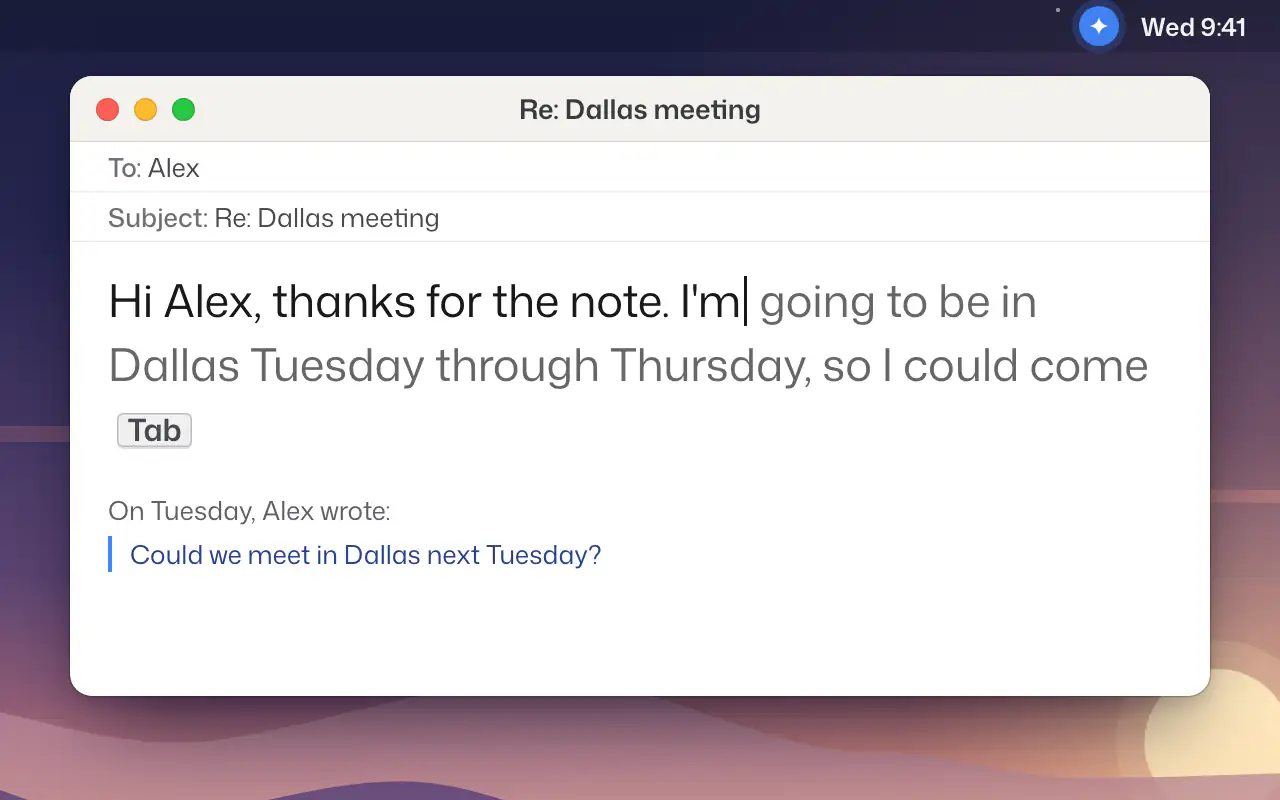
Cursor-style Tab, in every app on your Mac. Caret finishes your sentence or offers a workflow, then waits for your yes.
Caret puts Cursor-style Tab autocomplete in every text field on your Mac. About every two seconds it reads what you’re doing and makes one call: stay quiet, finish your sentence, or offer an action. Nothing runs until you accept it. I designed that routing and built the Python core behind the Swift app.
Two decisions
An illustration that runs Caret’s own rules on a sample reply and sends nothing anywhere. Every two seconds it looks again and stays quiet, finishes the sentence with the sample from Caret’s site, or offers an action when the demo judge finds a scheduling phrase, and Tab takes an offer only while one shows.
The hard part of an assistant that’s always on is knowing when to keep quiet, and the routing is built around that.
Two decisions
Each cycle, a judge model looks at the current frame: the field you’re in, the clipboard, and whatever recent history the app attached. It answers at most two questions.
Route. ABSTAIN, INLINE or ACTION.
Workflow. Only when the route is ACTION, pick one registered workflow or computer task, or none.
Everything around those two answers is ordinary code. Code sets the timing, validates what the model returns and runs the result, so the model never executes anything on its own. Inline text comes from a fast Groq-hosted model, and you take it with Tab. Action offers appear in a small panel and run only if you pick one with Command-1, 2 or 3. Until then, every offer is a read-only preview.
One cycle, from the write-up and the repo. The app sends what is on screen, a judge answers the route and, for an action, the workflow, and code around those two answers does the rest, while offers wait in the app, read-only, until you take one.
The core
The core is plain Python with no third-party dependencies, and the Mac app talks to it over a JSON-lines bridge. The router keeps one evaluation in flight and never queues requests behind it. If you keep typing, it folds your changes into the newest snapshot, and it throws away any result tagged with an older snapshot before you see it. A suggestion always belongs to what’s on screen now, not to what you typed a few seconds ago.
The router’s rule, in illustrative timing. It never queues, so while one evaluation is out your changes fold into the newest snapshot, and an answer tagged with an older one is thrown away before you see it, which keeps a suggestion on what is on screen now.
For history, Caret starts Screenpipe in the background, and the core can ask it for the last few windows, minutes of activity or clipboard entries. The judge we built it for is TypeSafe Jev.
What’s next
The native shell, the Python core and the bridge work today, and the sample meeting workflows run on made-up data. I’m continuing Caret, and these parts are in progress:
live Jev as the default judge, in place of the simple pattern-matching judge the app uses now so it runs without an API key;
the full Screenpipe history in every decision;
Gmail and sending calendar events;
browser checkout, which stops at the payment page by design.
Until those land, Caret can’t send email or buy anything.